
Choosing the proper smartphone for video creation may make a big difference in the quality of your material. With so many models available, it is critical to focus on certain attributes that have a direct impact on video performance. It is critical to choose a device that excels in all aspects, including camera quality, audio, stabilization, and editing capabilities. Whether you’re a content producer, vlogger, or simply trying to improve your video abilities, knowing these crucial elements will help you make an informed selection. This tutorial emphasizes the most important elements to consider when choosing a smartphone for video making.
Key Features to Consider for Video Creation
Camera Quality and Sensor
A high-quality camera is the foundation of any smartphone intended for video production. Look for phones with at least a 12MP primary camera and sophisticated sensors to improve light capture and colour accuracy. Phones with bigger sensors can better manage low-light circumstances, resulting in cleaner, clearer photographs. A wider aperture also aids in the capture of more details, particularly in low-light conditions. Furthermore, several lenses (such as ultra-wide or telephoto) provide versatility, allowing you to capture various viewpoints and angles, thereby increasing the overall production value of your films.


Image Stabilization and Gimbal-like Features
Image stabilization is an essential function while filming videos on a smartphone. Optical Image Stabilization (OIS) and Electronic Image Stabilization (EIS) help to eliminate blurred images caused by shaking hands. Some modern phones even have hybrid stabilization devices for better video. If you want to record dynamic situations or move while recording, gimbal-like functions are required. Many smartphones now have “Super Steady” settings or AI-based stabilization that mimics the effect of a gimbal. This guarantees that even quick motions are caught smoothly, producing a professional-looking video without the need for extra equipment.
Audio Quality and Microphone Setup
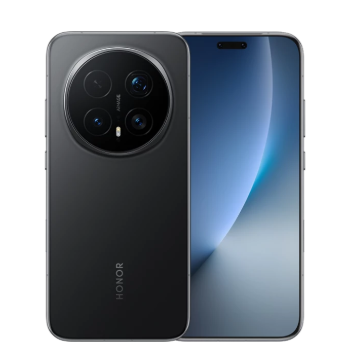
Clear, high-quality audio is equally crucial as video clarity. Most smartphones have built-in microphones; however, they may not always deliver optimal sound quality for video creation. Look for phones that have sophisticated audio capabilities, such as stereo microphones or compatibility for external microphones. A decent external microphone may greatly enhance sound quality by eliminating background noise and capturing finer audio details. Additionally, some phones include built-in noise reduction functions, which may be useful while photographing in noisy locations. If you’re looking to upgrade your device, consider the HONOR Magic 8 Pro buy for its exceptional audio performance, ensuring your videos don’t just look good, but sound professional too.
Tips for Enhancing Video Creation on Smartphones
Using Accessories for Better Video Quality
Smartphone attachments can improve video quality beyond the camera’s capabilities. A tripod or stabilizer helps to assure stable shots, especially when recording in motion. External lenses, such as wide-angle or macro lenses, can give you greater creative control over your photos. A clip-on microphone improves audio capture, particularly in windy or loud environments. A ring lamp or portable lighting arrangement increases the video’s exposure and gives it a polished, professional appearance. These additions, which are often lightweight and inexpensive, may significantly improve the overall quality of your smartphone films without the need for expensive equipment.
Editing Apps and Software for Smartphones
Editing applications are quite useful for improving your smartphone footage. Many smartphones come pre-installed with rudimentary video editing software, while professional programs like Adobe Premiere Rush, provide far more versatility. These applications let you cut, apply filters, alter color grading, and even create special effects right from your phone. Some software also features multi-layer editing, which allows you to merge video, graphics, and music smoothly. Whether you’re creating a short vlog or a professional-level production, these applications allow you to edit and polish your video to perfection.
Lighting and Shooting Tips for Smartphone Videos
Proper lighting is one of the simplest ways to make your smartphone films appear more professional. Natural light is always the ideal choice, but if you’re photographing indoors, utilize soft light to prevent sharp shadows. LED ring lights are an inexpensive technique to provide uniform, attractive lighting, particularly for close-ups or interviews. When photographing, consider the angle of the light to minimize backlighting or heavy shadows on your subject. Pay attention to the frame and composition, ensuring that your subject is well-lit and centered. Experiment with various lighting configurations to see which works best for your content type and surroundings.
Conclusion
A smartphone’s camera quality, stabilization, audio, and accessories are all important factors to consider when choosing one for making videos. Even when using a smartphone for filming, knowing the significance of these elements guarantees that your movies will be of a professional caliber. Using accessories and editing tools, in addition to the appropriate instrument, can improve the outcome even more. Your smartphone may become an effective instrument for producing high-quality films with practice and attention to detail. Whether you’re a novice or an experienced author, you may improve your content by concentrating on these crucial elements.